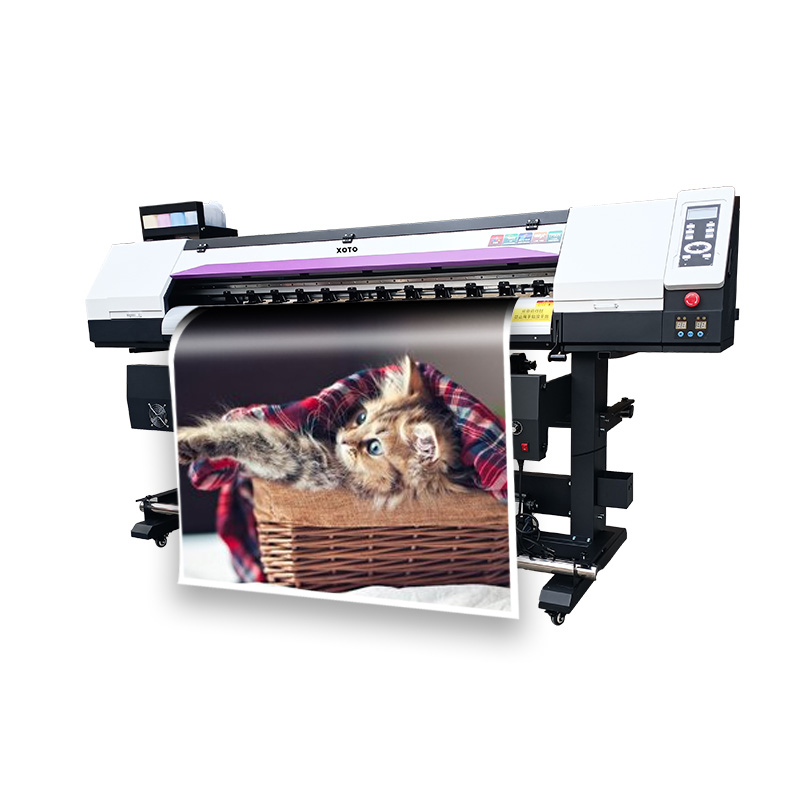
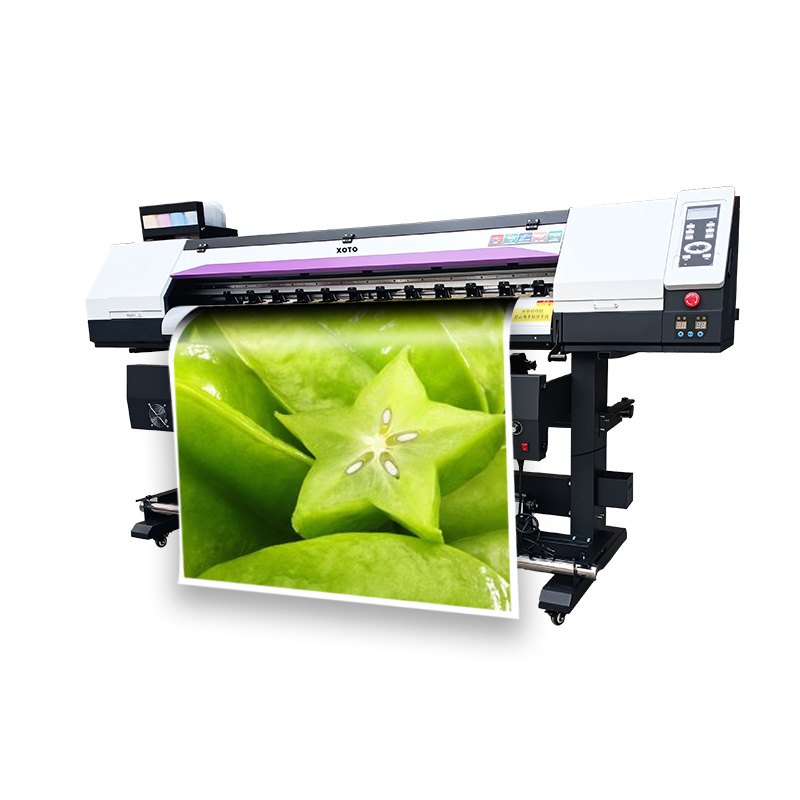
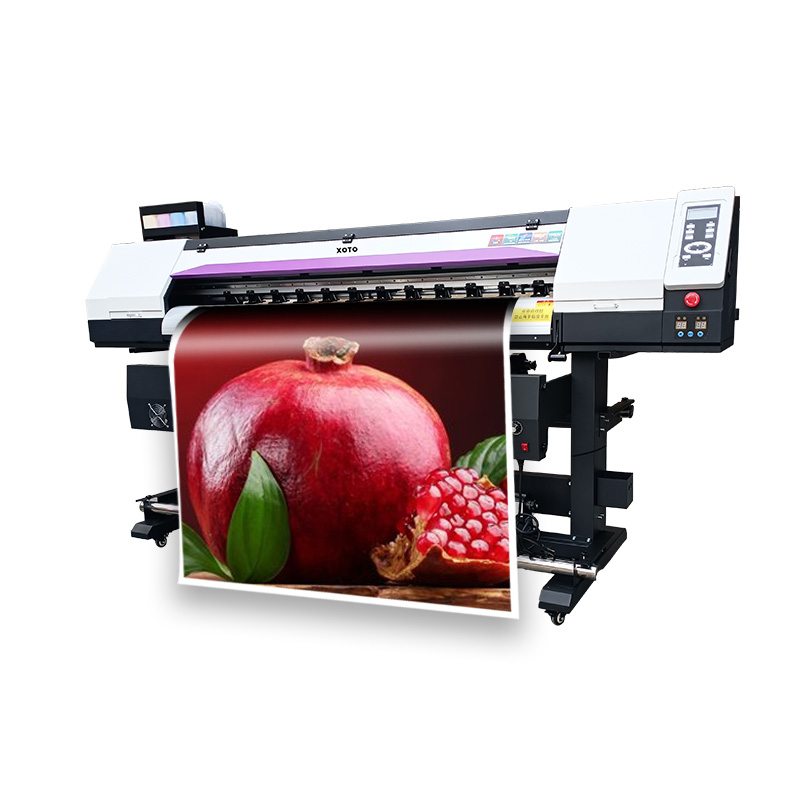

Epson Eco Solvent Machine
XOTO XT-1601 / XT-1801 · 1.6 m & 1.8 m · Epson printheads · Eco-solvent ink
- Overview
- Specifications
- About us
- FAQ
- Recommended Products
Parameters
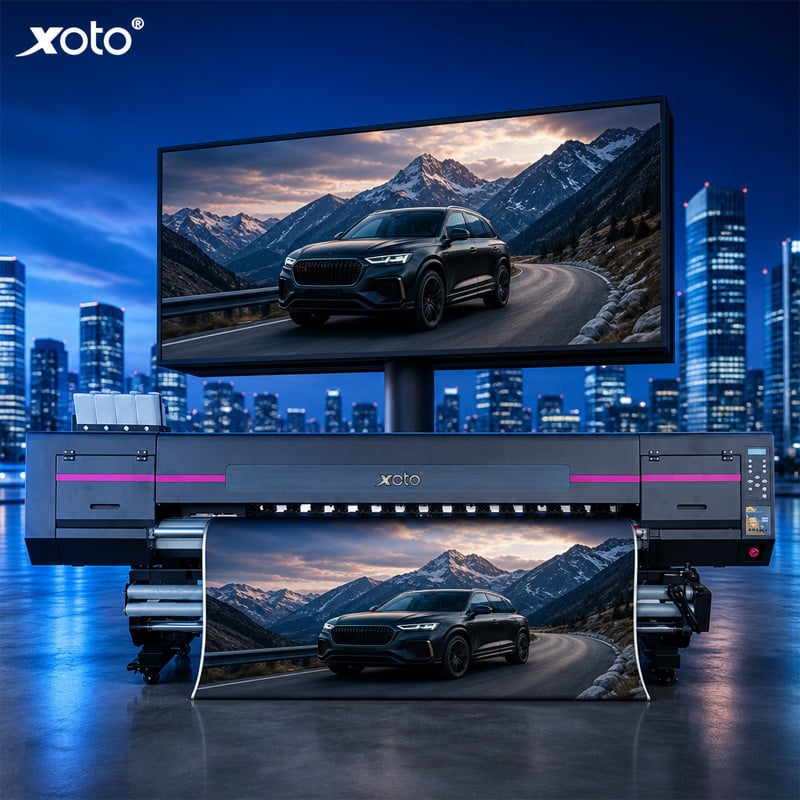
Epson Eco Solvent Machine for Flex Banner, Vinyl and Sublimation Transfer
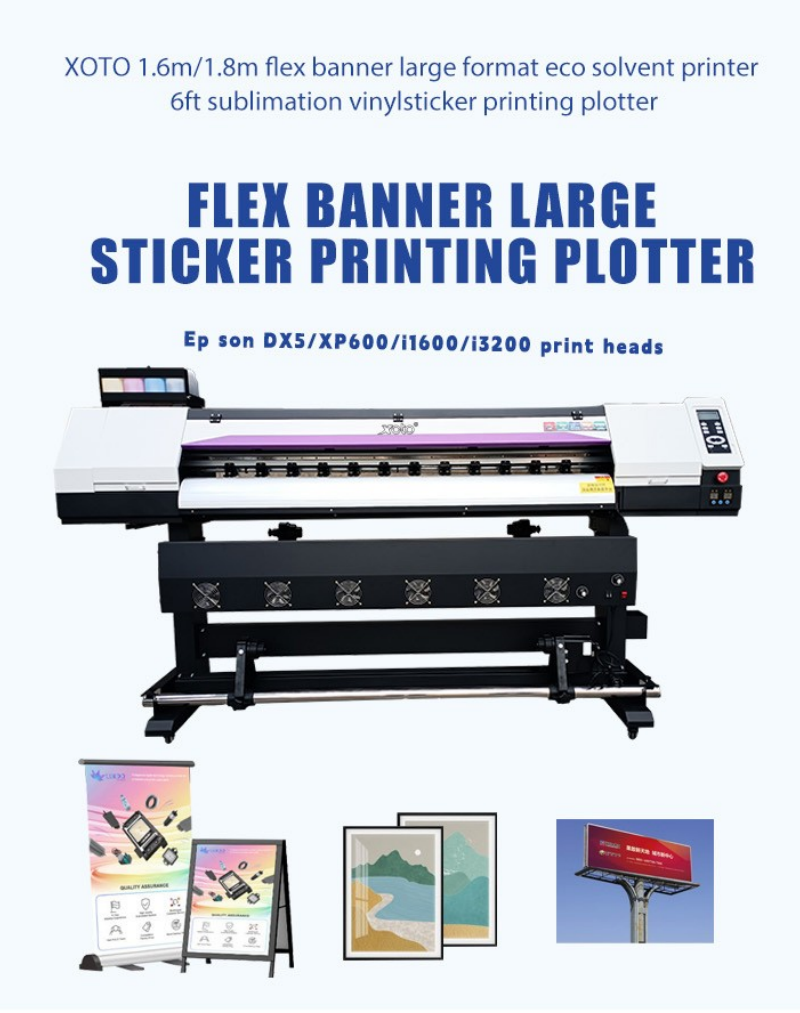
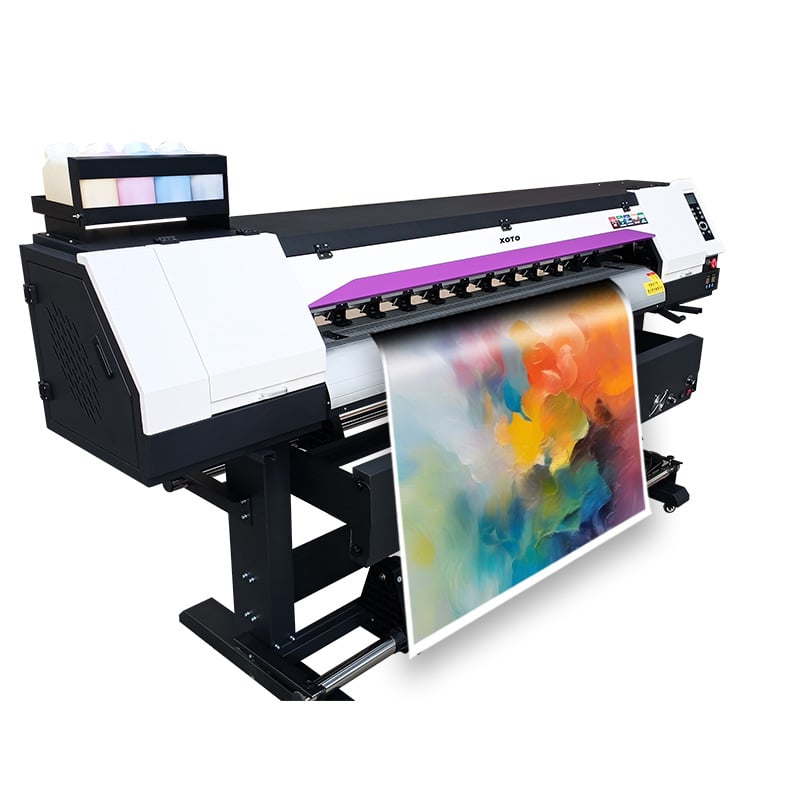
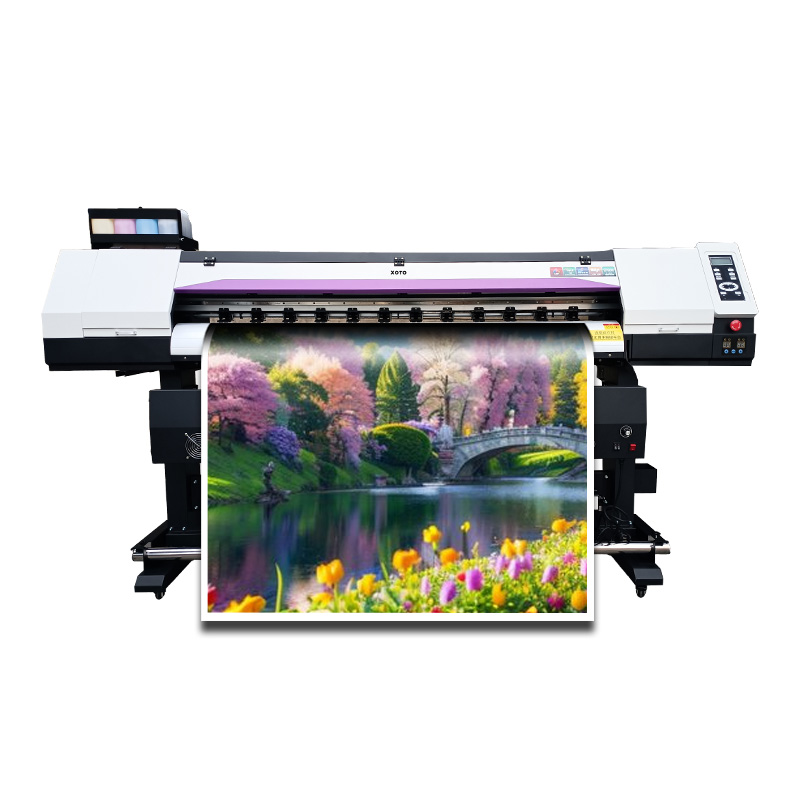
An eco solvent machine lives or dies on two things: the printhead that lays the ink and the ink path that feeds it. This is why the XOTO XT-1601 and XT-1801 are built around Epson Micro Piezo heads — XP600, DX5, i1600 or i3200, one or two of them depending on the speed you need — with 1500 ml tanks on a negative-pressure continuous ink supply. The result is a 1.6 m or 1.8 m roll printer that runs flex banner, self-adhesive vinyl, backlit film, photo paper and sublimation transfer paper on the same platform.
Eco solvent is the practical middle ground for sign and graphics work: pigment ink that keys into uncoated vinyl and banner without a coating line, at a fraction of the odour and hazard of full solvent, and without the material restrictions of water-based ink. For a shop producing billboards, light boxes, car stickers and indoor graphics, it is the ink chemistry that keeps media costs and drying time manageable at the same time. That balance is what an Epson eco solvent machine has to get right, and it is what the rest of this page is about.
What "Eco Solvent" Means on This Machine
• Pigment ink in an eco-solvent carrier — it bonds to uncoated banner and vinyl, so you are not limited to coated, pre-treated media.
• Mild odour compared with full solvent — workable in a normal production room with reasonable ventilation, not a sealed chemistry lab.
• Four ink families supported — eco solvent, water-based, sublimation and UV, so one platform can serve signage, photo and textile transfer work.
• Heated platform plus infrared drying — the ink is surface-dry enough to roll up at the take-up, which is what makes banner production at 24–42 m²/h usable rather than theoretical.
• Lamination still matters outdoors — for long-term exterior exposure, laminate. Eco solvent resists weather, but lamination is what carries a 3–5 year outdoor expectation. Any supplier who tells you otherwise is selling you a reprint.
The Epson Head Decision: XP600, DX5, i1600 or i3200
This is the specification that changes price, speed and running cost more than any other, so it deserves its own table rather than a footnote.
| Head option | Resolution | Typical role | Choose it if |
| Epson XP600 | Up to 1440 dpi | Entry / budget build | You need low entry cost and moderate daily volume |
| Epson DX5 | Up to 1440 dpi | Proven workhorse | You want the widest ink and parts ecosystem, easiest servicing |
| Epson i1600 | Up to 1440 dpi | Mid-volume | You want a newer head at a middle price point |
| Epson i3200 | Up to 3200 dpi | Highest output | You need maximum speed and the sharpest detail on close-view graphics |
* Speed figures in the specification table are quoted for i3200 heads (single head 24 m²/h at 4-pass, dual head 42 m²/h). Ask for the speed at your chosen head and pass mode on any Epson eco solvent machine before comparing quotes — a speed number without a head model is not a comparison.
Ink System: 1500 ml Tanks and Negative-Pressure CISS
• 1500 ml per colour — fewer refills, fewer interruptions mid-roll, and lower cost per square metre than small cartridge systems.
• Negative-pressure continuous ink supply — stable meniscus at speed, which is what keeps dense banner fills from banding.
• 4, 6 or 8 colour configurations — CMYK for volume banner work, CMYK + light cyan/light magenta for photographic gradients, or the 8-colour set for fine-art and close-view output.
• Secondary cartridge and automatic cleaning — the ink path is designed for unattended production days, not for constant operator attention.
• Standard ICC profiles tested with these heads and inks — colour is repeatable between machines and between reorders, which matters more than any single dpi figure.
Heating and Drying: Why 24 m²/h Is Real
Speed claims collapse when the ink will not dry. Three heating stages work together on this platform: a heated platen under the media, an infrared heater over the printed surface, and an intelligent synchronous heater that follows the carriage so the ink is set before the media reaches the take-up. That is the difference between an Epson eco solvent machine that prints 24 m²/h on a test file and one that prints 24 m²/h and lets you roll the banner up.
• Platform heater — pre-conditions the media so ink droplets spread predictably on uncoated banner.
• Infrared heater with fans — accelerates solvent evaporation across the full print width.
• Intelligent synchronous heater — synchronised with the carriage pass so drying scales with output instead of being a fixed setting.
Build Details That Decide Uptime
Every part below is a serviceability decision, not decoration — and on an Epson eco solvent machine, serviceability is what keeps the printhead alive and the ink path clean.
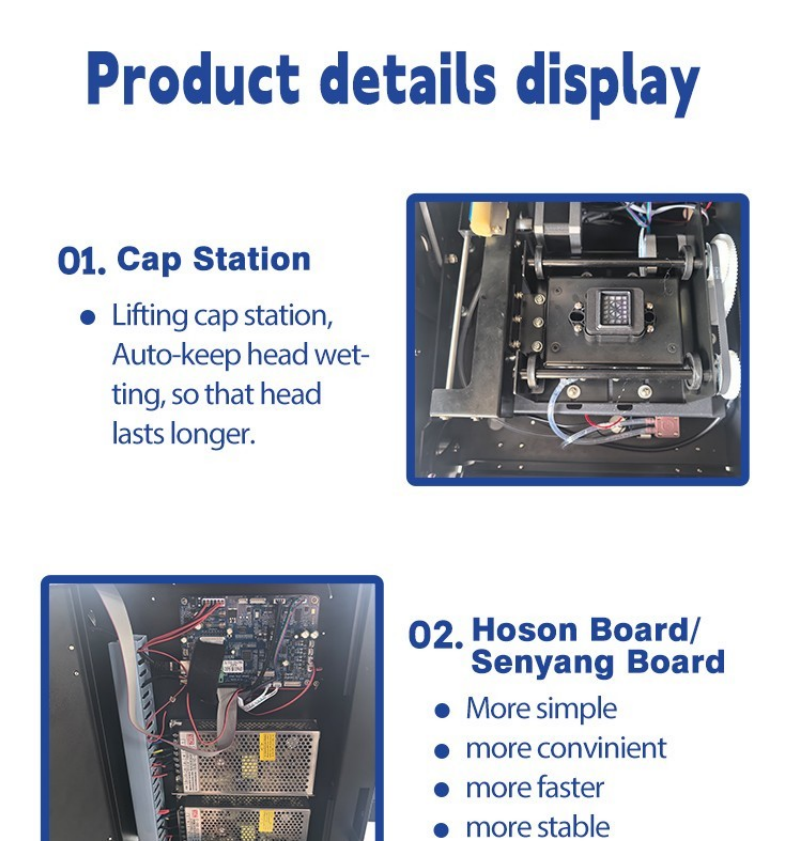
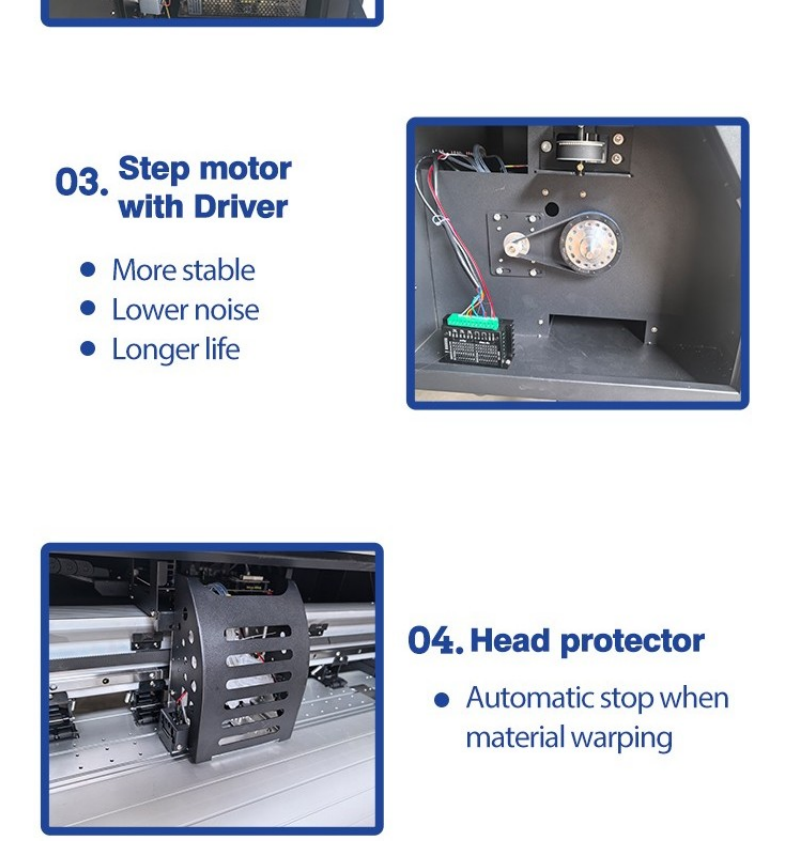
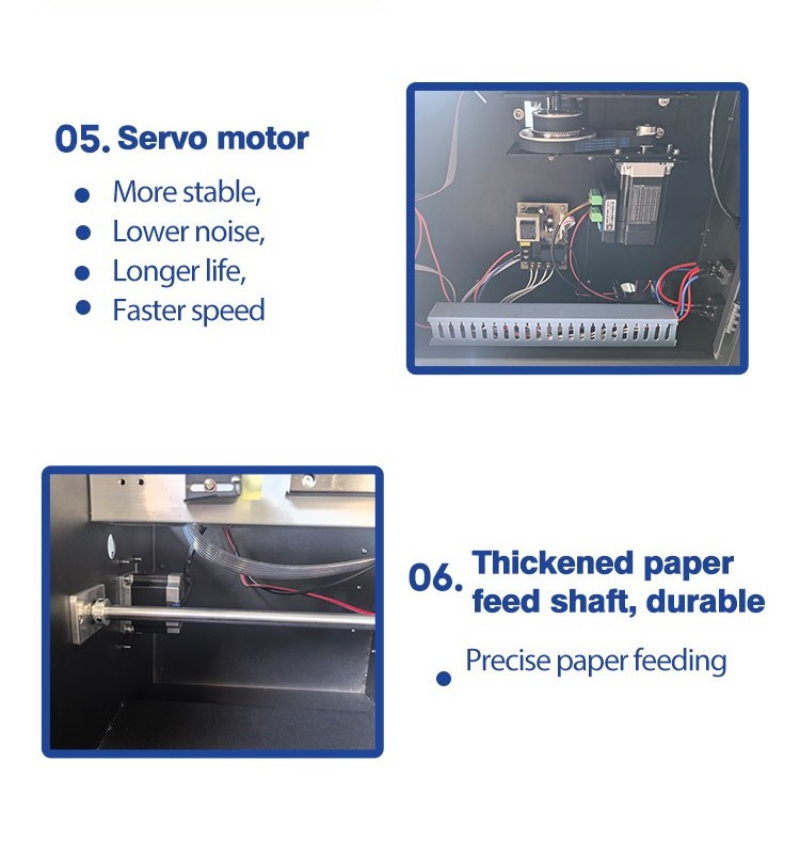
Detail display from the XT-1601 build: cap station, control board, motor drives, head protector and feed shaft.
• Lifting cap station with auto keep-wet — the head is sealed and moist between jobs, which is the single biggest factor in printhead life.
• Hoson / Senyang control board — a widely supported board family, so spares and service are not locked to one supplier.
• Step motor with driver plus servo motor on the feed — quieter, more stable, longer service life at production speed.
• Intelligent head protector — automatic stop when media warps, so a curled banner does not take out a head.
• Thickened paper feed shaft — precise feeding on heavy banner and vinyl without skew.
Product Showcase
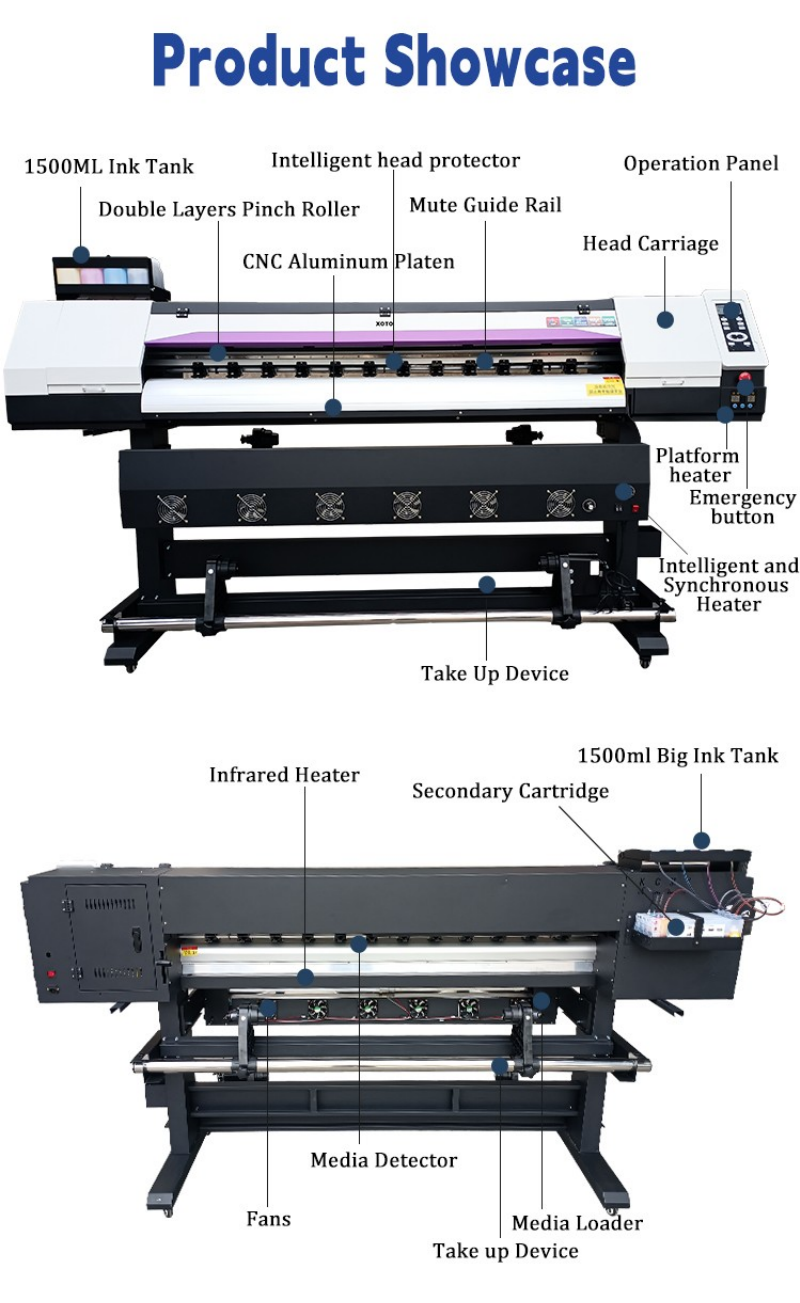
Front and rear annotation: 1500 ml ink tank, double-layer pinch rollers, CNC aluminium platen, mute guide rail, platform heater, infrared heater, media detector, take-up device.
• CNC aluminium platen — flat, rigid and machined, so head height stays consistent across the full 1.6 m or 1.8 m width.
• Double-layer pinch rollers — no slipping on glossy vinyl or heavy banner at speed.
• Mute guide rail — lower noise and less vibration, which shows up as cleaner edges on fine text.
• Media detector, media loader and take-up device — standard, not optional: roll handling is where most production time is actually spent.
• Emergency stop on the operation panel, front and centre.
Specifications
| Item | XT-1601 / XT-1602 | XT-1801 / XT-1802 |
| Print head | Epson XP600 / DX5 / i1600 / i3200 | Epson XP600 / DX5 / i1600 / i3200 |
| Print head number | 1 / 2 | 1 / 2 |
| Print resolution | 1440 dpi (i3200 head: 3200 dpi) | 1440 dpi (i3200 head: 3200 dpi) |
| Feeding width | 1620 mm | 1890 mm |
| Print width | 1600 mm | 1850 mm |
| Print speed (production, 4-pass) | 24 ㎡/h (one i3200) / 42 ㎡/h (two i3200) | 24 ㎡/h (one i3200) / 42 ㎡/h (two i3200) |
| Print speed (precision, 6-pass) | 16.8 ㎡/h / 32.8 ㎡/h | 16.8 ㎡/h / 32.8 ㎡/h |
| Ink type | Eco solvent / water-based / sublimation / UV | Eco solvent / water-based / sublimation / UV |
| Colour | CMYK 4c / CMYK LM LC 6c / CMYK LM LC LK LLK 8c | CMYK 4c / CMYK LM LC 6c / CMYK LM LC LK LLK 8c |
| Ink tank volume | 1500 ml per colour | 1500 ml per colour |
| Ink supply | Negative pressure CISS | Negative pressure CISS |
| Water-based media | PP self-adhesive vinyl, backlit film, photo paper, movable PP vinyl, photo cloth, sublimation transfer paper | Same |
| Oil-based media | Flex banner, wallpaper | Same |
| Heating system | Inside automatic smart micro-control heating system | Same |
| Drying system | Infrared heating system with fans | Same |
| Media loading / take-up | Standard | Standard |
| Cleaning system | Automatic cleaning | Automatic cleaning |
| Data transmission | Gigabit Ethernet port | Gigabit Ethernet port |
| Software | Maintop; ONYX / PhotoPrint optional | Maintop; ONYX / PhotoPrint optional |
| Power supply | Single phase 110 V / 220 V, 50–60 Hz; 15–30 ℃, RH 40–60% | Same |
| Power consumption | Min 32 W, max 2300 W | Min 32 W, max 2300 W |
| Package size / weight | 230 kg / 2850 x 766 x 665 mm | 270 kg / 2950 x 766 x 665 mm |
Outdoor Work on This Epson Eco Solvent Machine
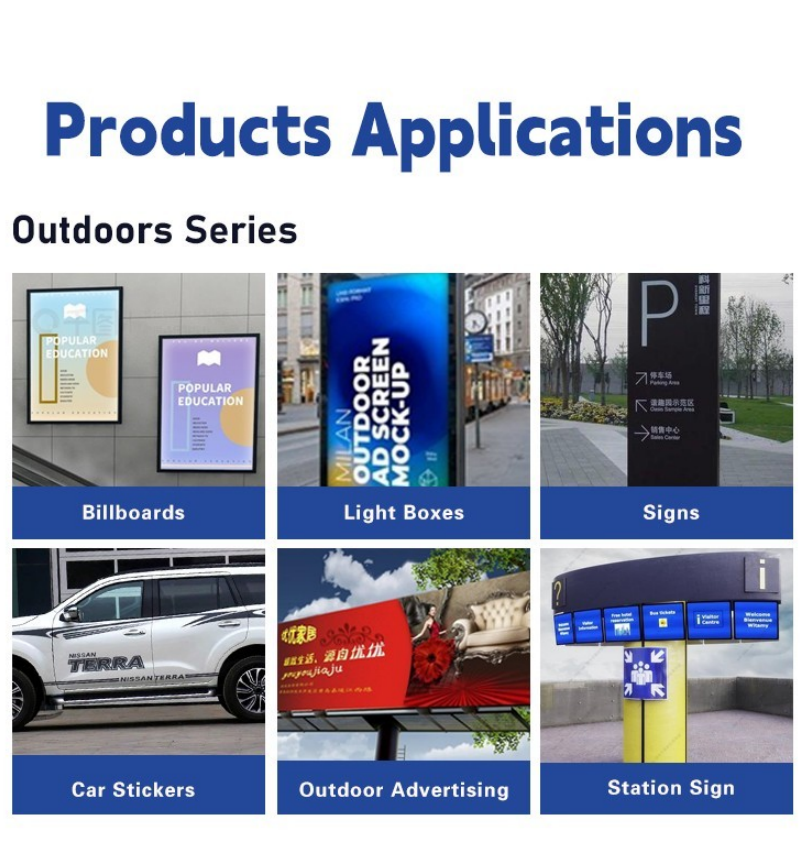
Billboards, light boxes, signs, car stickers, outdoor advertising and station signage.
Outdoor work is where eco solvent earns its place: uncoated flex banner and self-adhesive vinyl print without pre-treatment, and the ink keys into the media rather than sitting on top of it. For permanently exposed signage, add lamination and you have a specification you can warranty. The 1.6 m and 1.8 m widths cover standard banner sizes with minimal waste.
Indoor Graphics on the Same Epson Eco Solvent Machine
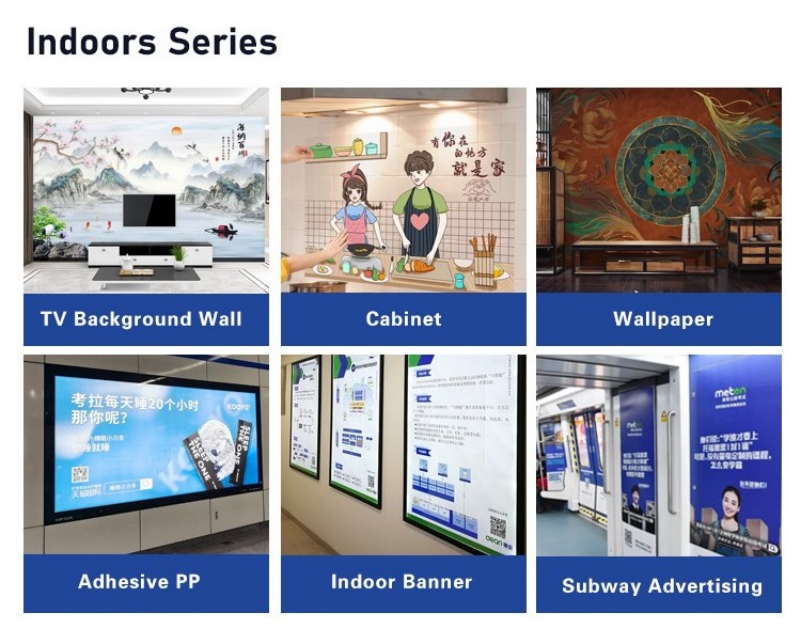
TV background walls, cabinet wraps, wallpaper, adhesive PP, indoor banners and subway advertising.
Indoor graphics are a different job: close viewing distance, tighter colour expectations, and media that has to look right on a wall. This is where the 6-colour and 8-colour configurations and the standard ICC profile set matter — smooth gradients on a TV background wall or a wall covering are a profile problem before they are a hardware problem.
Media Guide
| Media group | What it covers on this machine |
| Water-based media | PP self-adhesive vinyl, backlit film, photo paper, movable PP self-adhesive vinyl, photo cloth, sublimation transfer paper |
| Oil-based media | Flex banner, wallpaper |
| Cylindrical / rigid | Not applicable — this is a roll-to-roll platform; rigid board work needs a flatbed |
| Sublimation route | Print onto sublimation transfer paper, then heat-press onto polyester textiles and coated rigid items |
* Eco solvent and water-based inks are not interchangeable on the same job without a profile and a cleaning cycle. Tell us your main media at order and we ship the matching ICC set and a cleaning routine for the changeover.
Software and Production Workflow
1. RIP — Maintop is supplied; ONYX and PhotoPrint are available as options if your shop already standardises on them.
2. Profile — apply the ICC profile for your media and resolution; the standard set has been tested with these heads and inks.
3. Nest and print — Gigabit Ethernet transfer, roll loaded on the media loader, take-up running.
4. Finish — laminate for exterior durability, then trim, eyelet and pack.
Service and Support
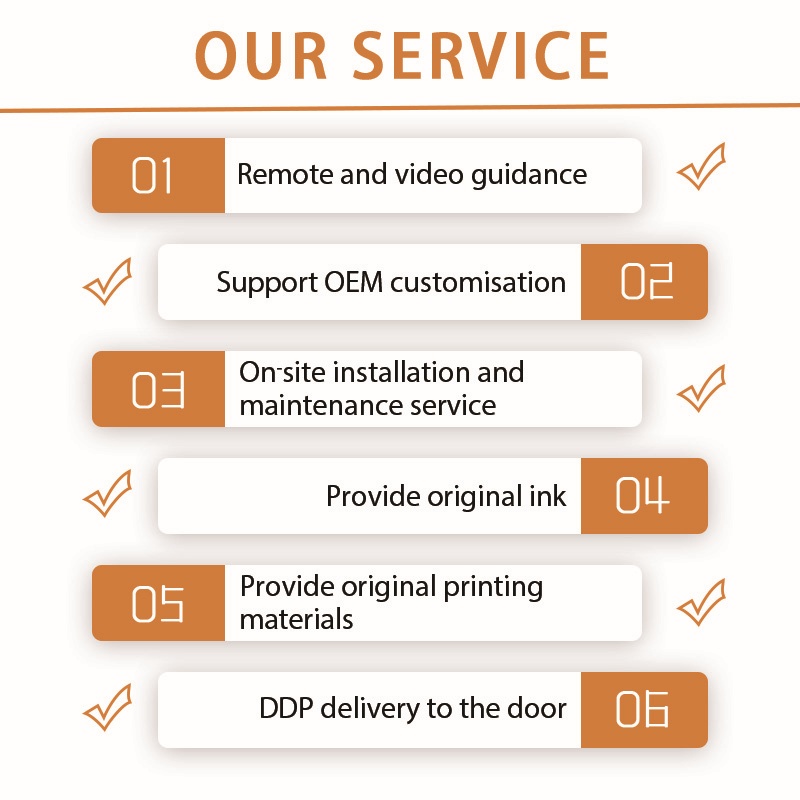
• Pre-sales sample printing on your own media file and material, on the same Epson eco solvent machine configuration you would order.
• Remote installation and operator training by video call, in English, with a written manual.
• Spare parts — printheads, cap station, wipers, dampers, ink tubing, feed belts.
• Consumables — eco solvent, water-based, sublimation and UV inks, cleaning fluid, ICC profile packs.
• Warranty and after-sales terms confirmed in the sales contract before payment.
About us
FAQ
1. What is an Epson eco solvent machine?
A: A wide-format roll printer that uses Epson Micro Piezo printheads with eco-solvent pigment ink. "Eco" refers to the ink carrier, not the printer: it is a milder solvent than full solvent ink, which means less odour and lower hazard while still bonding to uncoated vinyl and banner. The XT-1601 and XT-1801 are 1.6 m and 1.8 m versions of that platform, with XP600, DX5, i1600 or i3200 head options.
2. Which Epson head should I choose — XP600, DX5, i1600 or i3200?
A: Choose by output and serviceability, not by headline dpi. XP600 is the low-entry option; DX5 has the widest parts and ink ecosystem and is the easiest to service in most markets; i1600 sits in the middle on price; i3200 gives the highest speed and 3200 dpi detail for close-view graphics. If you print mostly banners at 2–3 m viewing distance, the extra dpi buys you very little.
3. How fast does it actually print?
A: In production 4-pass mode with i3200 heads: 24 m²/h with one head and 42 m²/h with two. In precision 6-pass mode: 16.8 m²/h and 32.8 m²/h. Those figures are for continuous output with the heaters running — which is why the drying system matters as much as the head.
4. Do I have to laminate eco solvent prints outdoors?
A: For long-term exterior exposure, yes. Eco solvent ink resists weather far better than water-based ink, but lamination is what carries a multi-year outdoor expectation and protects against mechanical wear and cleaning. For short-term campaigns, indoor graphics and most vehicle work, unlaminated output is normal practice.
5. How strong is the smell? Do I need extraction?
A: Eco solvent is noticeably milder than full solvent, but it is not odourless. A production room with reasonable general ventilation is normally enough; a small sealed room needs extraction. If your space has no ventilation at all, look at UV or latex instead — that is a room problem, not a printer problem.
6. Can it print sublimation transfer paper for textiles?
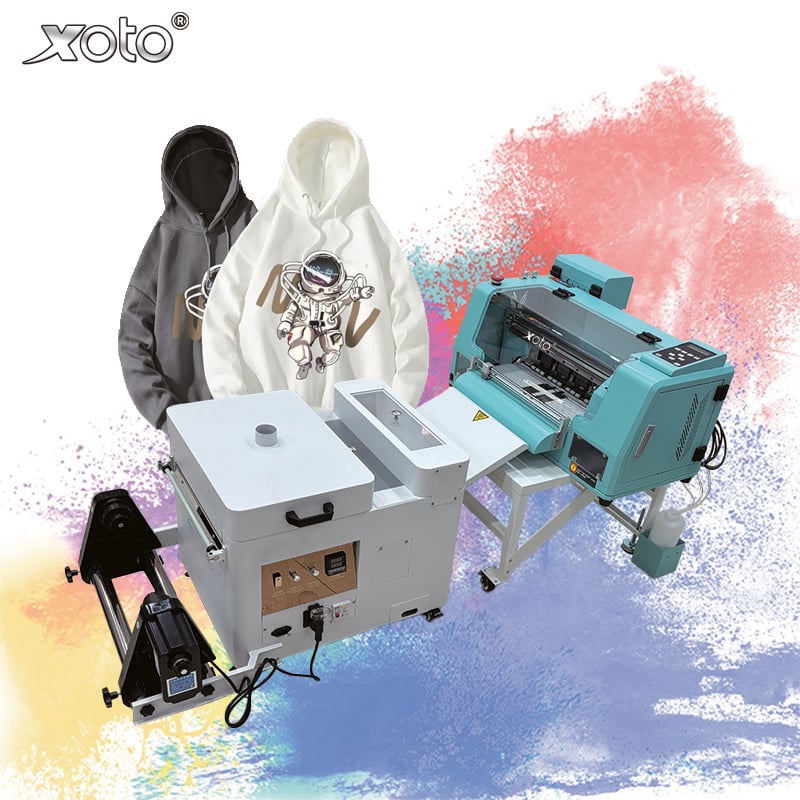
A: Yes — sublimation is one of the four supported ink families. You print the transfer on paper through this machine, then heat-press onto polyester fabric or coated rigid items. It is the cheapest way to add apparel and promotional textile work without a separate dye-sub printer.
7. What media can it run?
A: Water-based group: PP self-adhesive vinyl, backlit film, photo paper, movable PP vinyl, photo cloth and sublimation transfer paper. Oil-based group: flex banner and wallpaper. It is a roll-to-roll machine — rigid board and thick sheet work belong on a flatbed.
8. Should I take 4, 6 or 8 colours?
A: 4-colour CMYK if your work is banner, signage and general vinyl where speed and ink cost dominate. 6-colour (adding light cyan and light magenta) if you print photographic graphics, backlit displays and interior wall graphics viewed up close. 8-colour if you sell fine-art and close-view work where smooth tonal transitions are the product.
9. What does it cost to run per square metre?
A: It is driven by ink coverage, media price and waste, not by the machine. Ask for the ink consumption figure at your typical coverage and calculate from your own media cost — then add lamination and eyeleting if the job needs them. Any quote that gives a single "cost per m²" without stating coverage is not a number you can plan on.
10. What are the power requirements?
A: Single phase 110 V or 220 V, 50–60 Hz, maximum 2300 W (minimum 32 W in standby), operating range 15–30 °C at 40–60% relative humidity. A standard single-phase supply is enough; no three-phase connection is required.
11. Which software do I need?
A: Maintop is supplied as standard, and ONYX or PhotoPrint are available as options if that is what your studio already runs. Standard ICC profiles tested with these heads and inks ship with the machine, which is what keeps colour repeatable between reorders.
12. What maintenance does an eco solvent machine need?
A: Daily: nozzle check before the first job, and a clean if the machine sat idle. Weekly: cap station and wiper inspection, waste ink check. Monthly: capping station clean and a full ink-path flush if you change ink families. The lifting cap station keeps the head wet between jobs, which is what protects it during quiet periods.
13. Can I see it print before ordering?
A: Yes. Send an artwork file and tell us your media — we print on the same head configuration and send photos or the physical sample, with a quote and the current specification sheet for your width.